
The Basics
The research below was conducted by Eric Gonzalez (@elbori) and Dan Lussier (@dansec_) with a special shout out to Sam Ferguson (@AffineSecurity). All content is for educational purposes and focuses on all aspects (investigation, weaponizing, detection & mitigation). The focus of this article is about abusing iCal files (.ics extension) within Outlook.
Note: This entire method will require user interaction, and you may not always be able to achieve this during a campaign, make sure whatever your campaign is builds trust with the targets.
What is iCal?
iCal ics are files that are created when setting up internet feed-based calendar events. They allow for great convenience for common scenarios like sporting events where times and details may change frequently, without the end-user needing to perform any action.
The iCal RFC provides documentation around what the files can be used for, make sure to check out RFC5545 to get an understanding of how iCal files can be constructed (hint: they’re text files).
What makes these files interesting from a threat actor perspective is once a user imports this calendar it can be modified at-will by an attacker to change its contents, and as long as the threat actor does not make it look too suspicious, they’ll have a persistent method to push potentially malicious content to a user and have it pop Outlook reminders so the user checks the calendar event regularly.
This isn’t new
Before publishing this article we looked around and did find that threat actors have been abusing iCal functionality for the last few years in a similar way (and in 2008 CVE-2008-1035). The difference between these methods is how we present the abuse & potential persistent way to continue to have a hook into a users environment via a calendar event.
For reference check out the articles below on how other threat actors are abusing iCal.
PhishINvite with Malicious ICS Files
Identification
During a recent investigation we identified a machine learning alert for “beacon-type” connectivity from a users asset to a gibberish/foreign registered domain hosted in international IP space.
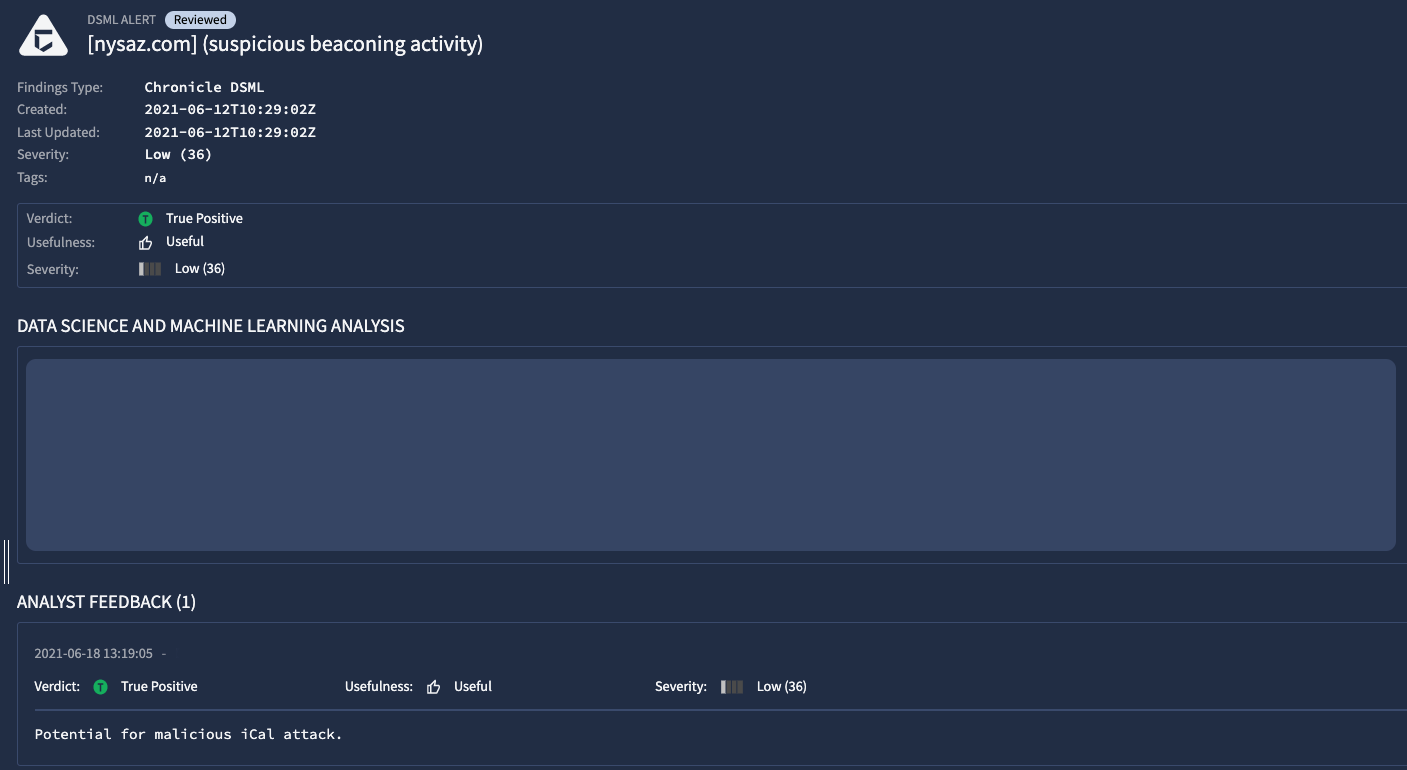
Upon investigation we originally assumed it would be related to Chrome Extensions gone rogue, but quickly identified via proxy logs that the users Outlook client was making the network calls.
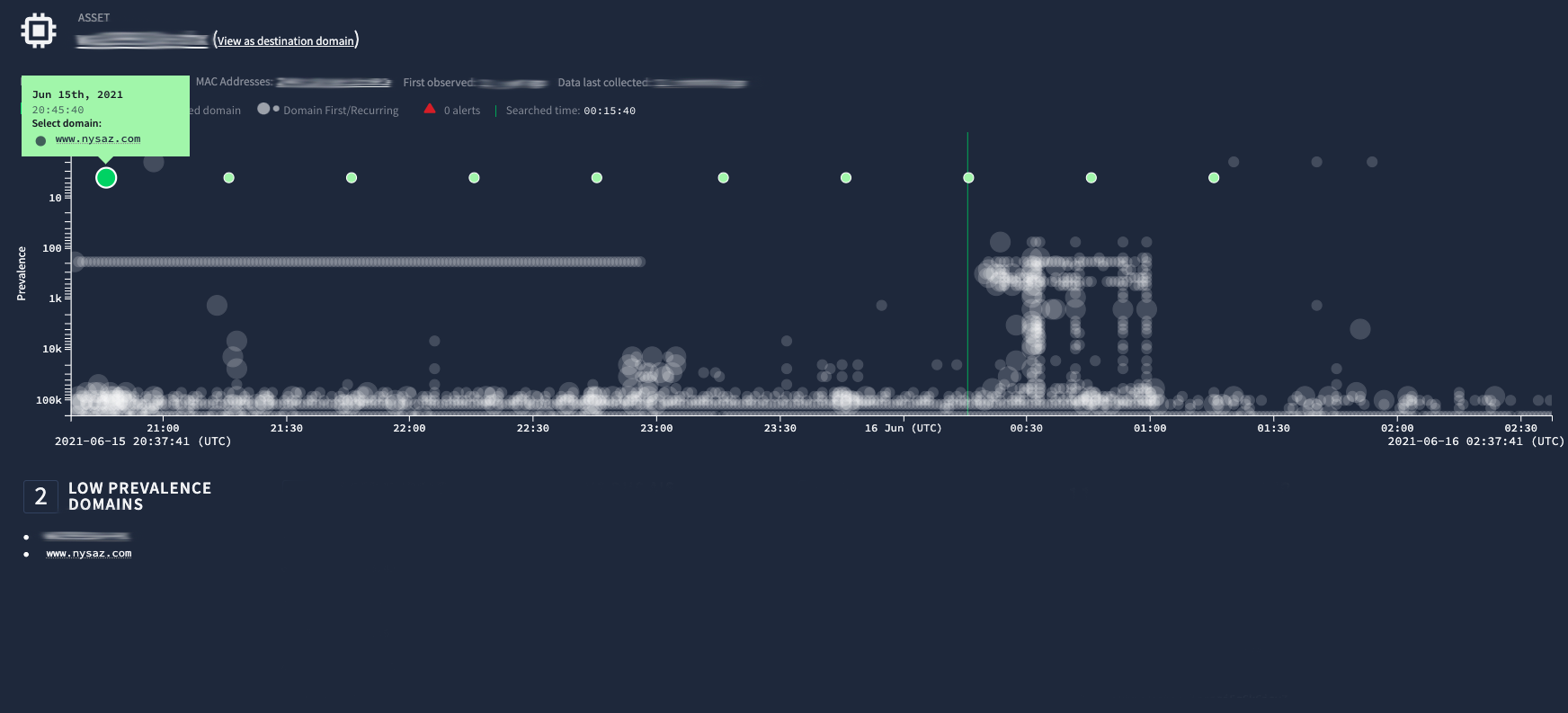
We can see in the image above that every 30 minutes a call was being made to nysaz[.]com. Upon further investigation we could see it was attempting to pull the following URL (this site is now dead):
hxxp://www[.]nysaz[.]com/DesktopModules/sSchedule/sSchedule.Web/Services/ExportToICalendar.ashx?portalId=0000&id=0000&key=0000&format=ical"
The useragent associated to this activity was Microsoft Office/16.0 (Windows NT 10.0; Microsoft Outlook 16.0.13127; Pro) which helped us identify the mix of iCal file being accessed & Outlook making the call.
This all turned out to be legitimate activity, the nysaz domain was once utilized for a Soccer program where parents could load up an iCal file to pull live updates of sporting events for their kids Soccer matches.
Turning malicious
As we concluded our investigation into this particular case we started to think how this could be abused. The primary method would be by identifying expiring domains (or expired domains) that once hosted iCal files (or compromising a site hosting these files). If a threat actor can perform this activity, they can constantly modify the iCal file being pulled and change it from “Events about your kids Soccer games” to “Events about how we’re going to phish you and have you load a malicious payload on your machine.”
There would be some work to be done here, such as only allowing access from UserAgent’s that look like Outlook so you can target users that more than likely are sourcing from something other than a personal device.
Persistent Phishing (with iCal)
The challenge
When setting up various purple/red team activities against most organizations, trying to bypass email gateway providers can prove to be challenging. Many of them have attachment inspection & URL inspection (crawling a URL to identify a malicious payload, or phishing template). After hitting send during a campaign you never know if it’ll land, or if it’ll be a handful of bounce-backs from an email gateway provider.
The iCal Solution
If your engagement is more long-term and doesn’t need to be rushed (often the case for purple team exercises), utilizing custom iCal events are an excellent way to hold a persistent “feed” to an end users mailbox where you can send constant updates (benign and malicious).
Below is a set of steps you can take to find success in this form of a phishing campaign.
Create a non-malicious ics (iCal) formatted file. The easiest way is to use the built-in Calendar app in MacOS, alternatively iCal Event Maker works. You'll want to build a theme around community updates for the target company. For the first ics file make sure alarms are turned off, we just want to establish a basic connection to the users calendar.
Host your newly created file on a trusted source (Azure Blob (windows.net), Firebase, AWS, AddEvent, SCHED).
Signup for a free Outlook.com account with organizationName@outlook.com or similar. If you'd prefer you can use any hosting provider here (or custom domain), but outlook.com often fly's under the radar as long as you're not mass-blasting a campaign.
Create a malicious themed email of your choice. Coming from the "Communications" team with a "new method to get company updates" seems to work pretty well. Make sure to utilize the webcal:// protocol instead of https:// so when the user opens the file it prompts to "OpenWith" and they can choose Outlook from their browser.
Embed your custom ics in a link from step 2 which should be non-malicious and send your phishing email to a target of individuals and watch your access logs to verify users are grabbing the file. You should start to see Outlook useragent's connecting in depending on what you set for frequency to pull updates of the ics file.
Wait a couple of days (maybe even a week) and modify your ics file. You can add a URL to a malicious site to phish credentials, or download a malicious file (Word/Excel document talking about upcoming community events). Add an ALARM to your ics so a reminder pops up after your update (5 minutes before event).
Wait for payload execution or credentials to come in. Because you sent this in days prior it's established in the users calendar and you can pass any updates you want to the calendar invite, at any time by simply modifying the ics file. If you see users grab your malicious payload or credentials are harvested, switch the calendar back to a benign state so the blue team can't see the malicious calendar invite.
The process outlined above will need to be tweaked to fit your engagement, so make sure to identify how you want to build and take action. A couple of other options to use for generating and updating your iCal file constantly would be SCHED or AddEvent. The advantage to using established platforms like these are the domain may be trusted in an environment and not look malicious to the blue team. If you have access to a MacOS device, you can also use iCal which will generate a unique *.icloud.com domain for your ICS file.
Here is a sample iCal file that was generated using an online iCal generator and had some HTML added to it, this should be your “second stage” calendar update that will contain malicious content. The first one should have a customized HTML template to make it feel like it fits in with the targets company message (images/etc).
BEGIN:VCALENDAR
VERSION:2.0
PRODID:-//redir
X-WR-CALNAME:CompanyName Always-On Calendar Subscription
NAME:CompanyName Always-On Calendar Subscription
REFRESH-INTERVAL;VALUE=DURATION:P1M
CALSCALE:GREGORIAN
BEGIN:VTIMEZONE
TZID:America/New_York
TZURL:http://tzurl.org/zoneinfo-outlook/America/New_York
X-LIC-LOCATION:America/New_York
BEGIN:DAYLIGHT
TZOFFSETFROM:-0500
TZOFFSETTO:-0400
TZNAME:EDT
DTSTART:19700308T020000
RRULE:FREQ=YEARLY;BYMONTH=3;BYDAY=2SU
END:DAYLIGHT
BEGIN:STANDARD
TZOFFSETFROM:-0400
TZOFFSETTO:-0500
TZNAME:EST
DTSTART:19701101T020000
RRULE:FREQ=YEARLY;BYMONTH=11;BYDAY=1SU
END:STANDARD
END:VTIMEZONE
BEGIN:VEVENT
DTSTAMP:20210617T174851Z
UID:20210617T174851Z-1219087318@example.com
DTSTART;TZID=America/New_York:20210617T120000
RRULE:FREQ=DAILY
DTEND;TZID=America/New_York:20210617T120000
SUMMARY:CompanyName Subscription - Daily Updates
URL:https://url_to_ics_file/appointment.ics
X-ALT-DESC;FMTTYPE=text/html:<!DOCTYPE HTML PUBLIC "-//W3C//DTD HTML 3.2//EN">\n<HTML>\n<HEAD>\n<META NAME="Generator" CONTENT="MS Exchange Server version rmj.rmm.rup.rpr">\n<TITLE></TITLE>\n</HEAD>\n<BODY>\n<!-- Converted from text/rtf format -->\n\n<P DIR=LTR><SPAN LANG="en-us"><FONT FACE="Calibri"><a href="https://URL to malicious payload/phishing site">Check out our latest updates!</FONT></SPAN></P>\n\n</BODY>\n</HTML>
LOCATION:Daily Virtual Summit
END:VEVENT
END:VCALENDAR
As soon as you have achieved a successful phish or malicious payload deployment, immediately change the ics file back to a more benign version in case there is an investigation, chances are the blue team won’t figure out there is a malicious ics file as long as you’re constantly updating it to look like a normal calendar event.
Detection Opportunities
The below detections are written in YARA-L (Chronicle), you can convert them over at SOCPrime to your favorite platform, or just take the TTP’s out of the rules and write them in whatever platform your detections are in.
Detect via ProcessLaunch event
This rule will work best for most people who have access to Sysmon/EDR telemetry, it looks for Outlook launching a connection via the webcal:// protocol. If you have an EDR solution, you could turn this into a custom prevention so it’s mitigated at launch.
rule detect_iCal_processLaunch {
  meta:
    author = "Dan Lussier"
    description = "Attackers can add a persistent method of phishing via iCal"
    version = "1.0"
    severity = "Medium"
    mitre_TA = "TA0001"
    mitre_T1 = "T1566"
    mitre_url = "https://attack.mitre.org/techniques/T1566/"

  events:
    $e1.metadata.event_type = "PROCESS_LAUNCH"
        $e1.target.process.command_line = /.*outlook.exe.*\/share.*webcal.*/ nocase
    $e1.principal.hostname = $hostname

match:
    $hostname over 1m

  condition:
    $e1
}
Detect via Network Traffic
If you have access to decrypted network traffic (proxy) you can utilize the rule below which looks for ics or ical in the URL, with the useragent of Microsoft Outlook.
rule detect_iCal_netCon {
  meta:
    author = "Dan Lussier"
    description = "Attackers can add a persistent method of phishing via iCal"
    version = "1.0"
    severity = "Medium"
    mitre_TA = "TA0001"
    mitre_T1 = "T1566"
    mitre_url = "https://attack.mitre.org/techniques/T1566/"

  events:
    $e1.metadata.event_type = "NETWORK_HTTP"
        $e1.target.url = /.*(ics|ical)$/ nocase
        $e1.network.http.user_agent = /.*microsoft\soffice\soutlook.*/ nocase
    $e1.principal.hostname = $hostname

match:
    $hostname over 1m

  condition:
    $e1
}
Mitigation
The easiest way to mitigate this from a blue team perspective is to block the ability to subscribe to internet based calendars via GPO. This will render this entire process useless, and overall most organizations do not have a large need for this.
For best results, create a dedicated AD group for individuals who require access to this feature, then put a time limit on how long the users will be allowed to continue to utilize this functionality.
More information on how to disable this functionality can be found here.